


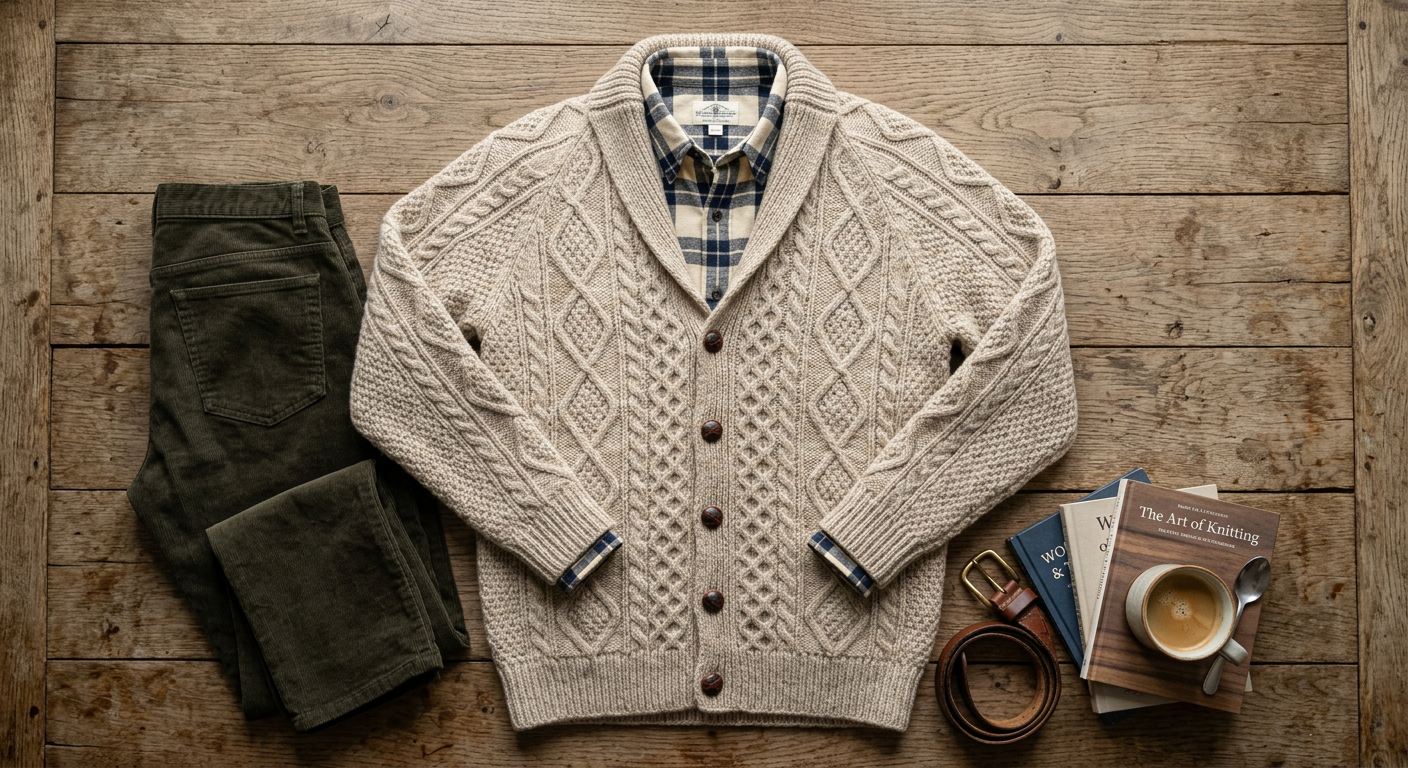


Which input photo works best
Every store already has some kind of product photo, and each works as input. The question is only how much the AI has to infer.
- Ghost mannequin. Best input. The garment already has volume and the neckline and sleeves are shaped, so the cut carries over most faithfully.
- Store mannequin. Very good. The pose and proportions are fixed; the AI replaces the mannequin with a real-looking person and keeps the styling.
- Hanger. Good for dresses, shirts, knitwear and coats. Make sure the whole garment is in frame, including the hem.
- Flat lay. Fastest to shoot and works for most garments. Lay it symmetrically and smooth; the AI has to infer fit, so check length and sleeve shape.
- Supplier photo. Works if it shows the garment clearly. Make sure you have the right to use the supplier image as a source.
Why stores skip the model shoot
A flat lay or ghost mannequin photo is fast and cheap, but it does not show how a garment fits. On-model photos do, and they are what shoppers expect on fashion product pages. The traditional route, booking a model and a studio for every drop, is the reason many small stores only have on-model photos for a handful of products.
With an AI clothing model generator the slow part disappears. Your team keeps shooting the garment the way it already does, and every product gets on-model images the same day. Seasonal drops, restocks in new colours and one-off pieces all get the same treatment.
Consistency across a collection
A category page looks professional when the same model, light and background run through it. Pick one model image you like and reuse it with each new garment ("same model, same face and hair, same studio background"). For stricter identity matching across many products, the identity-consistency tool keeps one face fixed while the outfit changes.
Keep the background constant per channel: pure white or light grey for marketplace main images, a soft studio colour for your own store, and lifestyle settings only for secondary images and ads.
Time and cost per SKU
One image usually arrives in under a minute. With three to five images per product, a SKU takes a few minutes including checking. On Pro (200 images for $79 a month) that is 40 to 60 products a month at about $0.40 per image, which is less than the cost of one hour of a model’s day rate. Studio covers unlimited 2K images for full catalogs and agencies.
Limits worth knowing
The AI infers fit from the photo, so it cannot know how a garment actually fits a size 16 body unless you show it. Treat the image as a styling photo, keep your measured size chart on the page, and keep at least one real photo of the actual garment in the gallery. Fine print, small text on labels and sheer fabrics need a careful look before publishing.
From flat lay to model in four steps
- 1
Shoot the garment
Flat lay from directly above, ghost mannequin, store mannequin or hanger. Even light, no harsh shadows, garment smoothed, tags removed.
- 2
Upload it to the studio
One garment per image works best. For a two-piece outfit, upload both pieces in one photo or as two images.
- 3
Say who wears it and where
For example "woman in her 30s, size 12, standing, plain light-grey studio background" or "man, walking on a city street, golden hour".
- 4
Check, fix, download
Compare against the sample and correct any detail in one sentence. Then generate the next angle with the same model.
Plans and what you get
Paid plans only. One generated image uses one credit, whatever the garment or the background.
- Starter $19/mo · 50 images
- Pro $79/mo · 200 images
- Or a one-time $29 pack: 30 photos, no subscription
- Commercial rights
- Cancel anytime